


ARCADEFORGE / Pi2SCART
Your Raspberry Pi on an RGB SCART CRT television, with native 15 kHz video, stereo sound and a direct GPIO connection.
15 kHz RGB SCART · Stereo audio · Powered through GPIO
Products description
ARCADEFORGE / PI2SCART
Your Raspberry Pi on an RGB CRT television.
Pi2SCART brings native 15 kHz RGB video from a compatible Raspberry Pi to your CRT television’s SCART input. The board fits directly onto the GPIO connector. Stereo sound reaches the adapter through the included audio cable and travels to the TV alongside the picture.
15 kHz directly over RGB SCART
Use the RGB input of a suitable CRT television. The Raspberry Pi supplies video through GPIO; this setup needs no additional HDMI-to-SCART converter.
Logic-based sync processing
Pi2SCART combines sync signals using logic. SCART also provides switching signals for RGB/AV mode and a 4:3 aspect ratio; how these signals are handled depends on the television.
Stereo sound included
The audio cable carries sound separately from the Raspberry Pi to Pi2SCART. The board itself needs no additional power supply and receives power through GPIO.
Specifications at a glance
- Raspberry Pi
- 3B, 3B+ and 4 with suitable software configuration
- Pi connection
- Directly on the 40-pin GPIO connector
- Video output
- Native 15 kHz RGB over SCART
- Synchronisation
- Logic-based combination of sync signals
- Audio
- Stereo via separate audio cable to the board, output through SCART
- SCART control signals
- RGB/AV switching and 4:3 signalling
- Power
- Via GPIO; no separate supply required for Pi2SCART
Plan your Pi2SCART setup
What you need
- A compatible Raspberry Pi with a suitable power supply and a prepared SD card.
- An image or configuration supporting Pi2SCART’s 15 kHz RGB output over GPIO. An unmodified standard image is not automatically suitable.
- A television with a suitable RGB SCART input and an RGB-capable SCART cable. A SCART socket alone does not guarantee RGB support.
Connection & setup
- Disconnect the Raspberry Pi from power. Fit Pi2SCART onto the GPIO connector in the correct orientation and connect the audio cable.
- Prepare suitable software for your Pi model and Pi2SCART. Confirm the intended 15 kHz output before operating it with the CRT.
- Connect a suitable RGB SCART cable to the TV. Power the Raspberry Pi and select the correct RGB/AV input if the TV does not switch automatically.
Already have a 15 kHz RGBHV source?
Pi2SCART connects directly to the Raspberry Pi’s GPIO header. If you instead want to adapt an existing 15 kHz RGBHV signal from a VGA connector to RGB SCART, explore UMSA.
Explore UMSAPackage contents & setup requirements
Included
- Pi2SCART board
- Audio cable
Also needed
- Raspberry Pi with a suitable PSU and prepared SD card
- RGB SCART capable television and RGB SCART cable
- Controllers for your setup
Fits your setup when …
- Raspberry Pi 3B, 3B+ or 4 with a suitable Pi2SCART configuration
- The image must output 15 kHz RGB through GPIO; the SCART input must support RGB
Before you buy
Which Raspberry Pi models are described?
Raspberry Pi 3B, 3B+ and 4. Each requires a suitable Pi2SCART software configuration. Compatibility with other models is not promised here.
Do I need a second power supply?
No. Pi2SCART receives power through GPIO. The Raspberry Pi itself still needs its suitable power supply.
Why do I have a picture but no sound?
Sound reaches Pi2SCART through a separate audio cable. Check that cable, your software’s audio output and the SCART cable’s audio connections.
Will every retro-gaming distribution work immediately?
No. It must support your Pi model and the correct 15 kHz RGB output over GPIO. Check the image’s Pi2SCART settings before connecting.
Customer reviews:
I'm very happy with this product, a crystal clear RGB screen with good sound. Retropie runs like a dream with this. The actual loading of games, there is a longer pause compared with running this on the usual HDMI setup, but not an issue, it's worth the wait. There's great support on the Facebook group Pi2Jamma. They are very helpful with this product.
Love it, it works great - still trying to figure out how to configure Retropie to use it to it's fullest extent.
By default Retropie scales games to fill the screen, which ends up causing stretched pixels on parts of the image. I've found that you can edit the config files to set the aspect ratio to "square", and disable auto aspect ratio, while and enabling integer scaling to make the image appear correctly. The downside is that not every system fills the screen, so you end up with black bars. I am using a Sony BVM-20F1U, and things look sharp and crisp with this method, but systems like Gameboy Color, NES, Game Gear, etc. don't fill the screen. Systems like the Genesis/Megadrive however do.
Just got it tonight though, so I'm going to keep trying things.
Regardless, this is amazing so far.
Excellent Video Quality. This is a must have for everyone who connects a Raspberry Pi to a CRT.
I did some comparison screenshots (Composite vs Pi2Scart) :
http://www.hiscorebob.lu/2017/03/pi2scart-rgb-video-for-raspberry-pi/
Customers who bought this product also bought the following products:
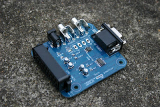
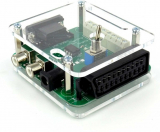
Sync Strike Enclosure in transparent laser cut acryl.
Capcom Classic Jamma Adapter
Jam
Jamma Adapter 1942
This Product was added to our catalogue on 01/04/2021.
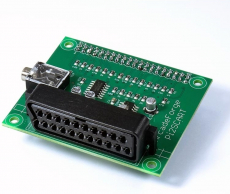
Pi2Jamma / Pi2SCART »
More information on your personal page »